
PikSheet
Run the pool. Not the spreadsheet.
Pick'em, survivor, confidence, playoff bracket, fantasy and squares pools for the NFL, NBA, NHL and MLB in one clean app, with College Football Playoff, March Madness and golf pools coming next. Commissioners get setup, invites, lock rules, overrides, billing, and scoring. Members get a simple place to make picks and follow the week.
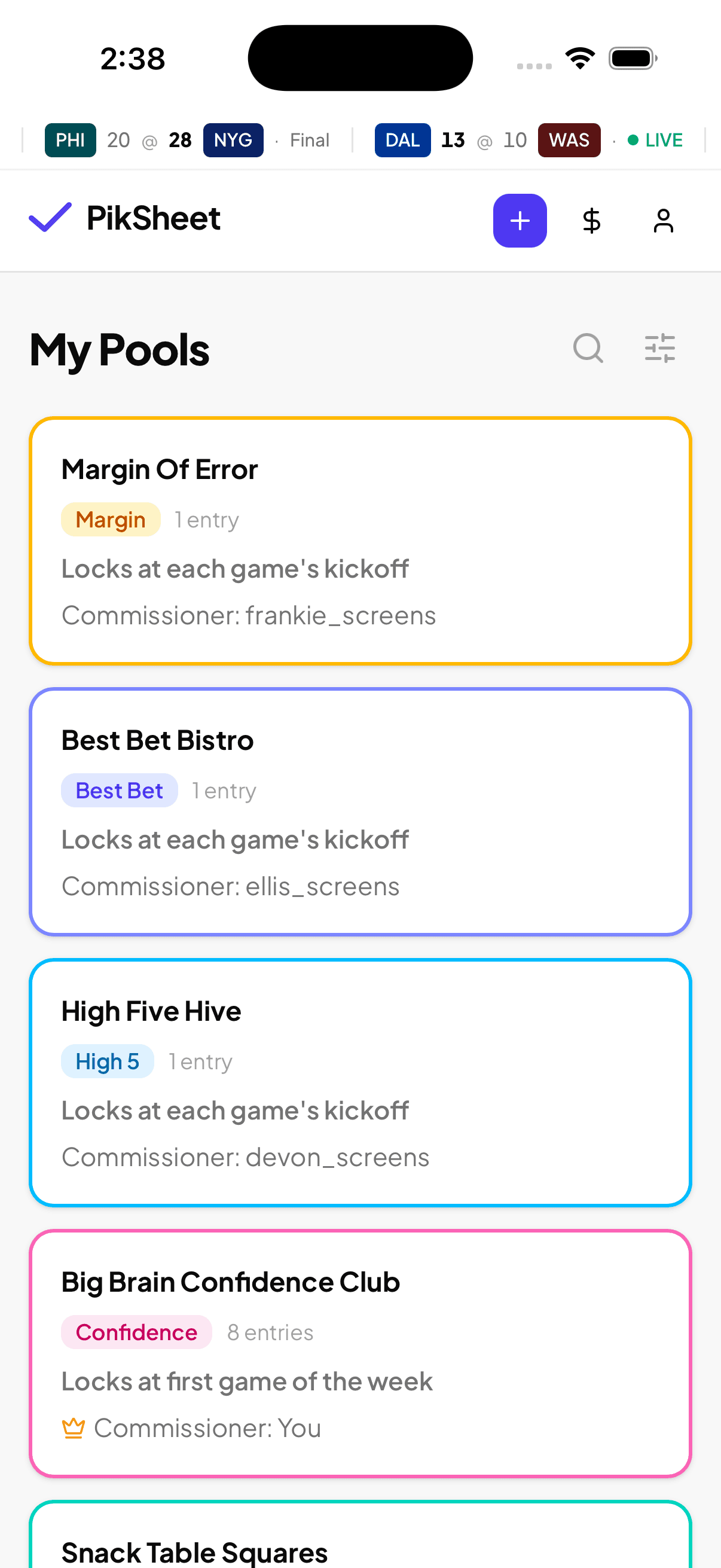
Pools for every sport.
One account and one app for every pool your group runs, from the NFL opener to the World Series.
What your members actually see.
These screens are the core loop: make picks, see everyone's picks after lock, then watch standings settle as games finish.
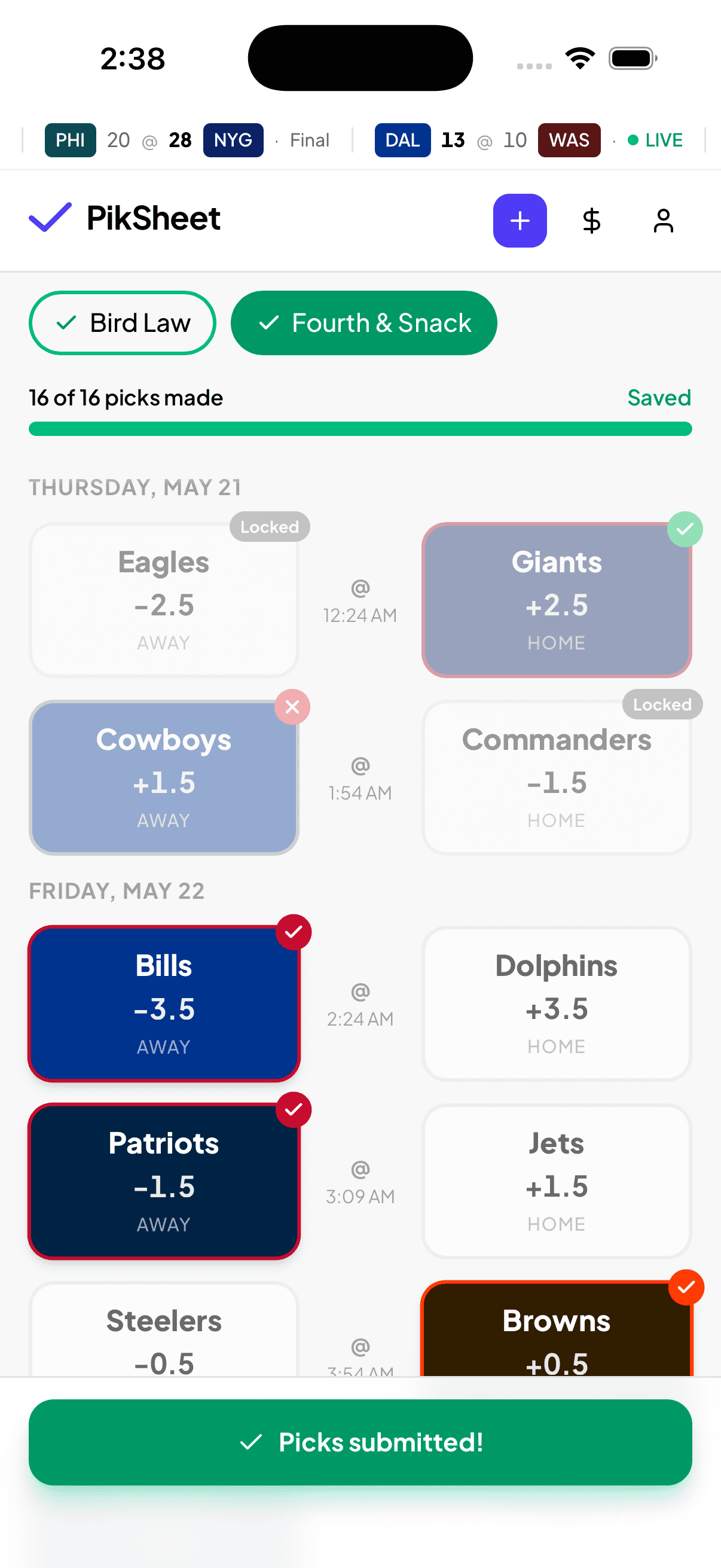
Make the pick sheet obvious
Members open the week, tap their picks, and submit. Lock rules, confidence values, best bets, used teams, and missing picks all stay visible where they need them.
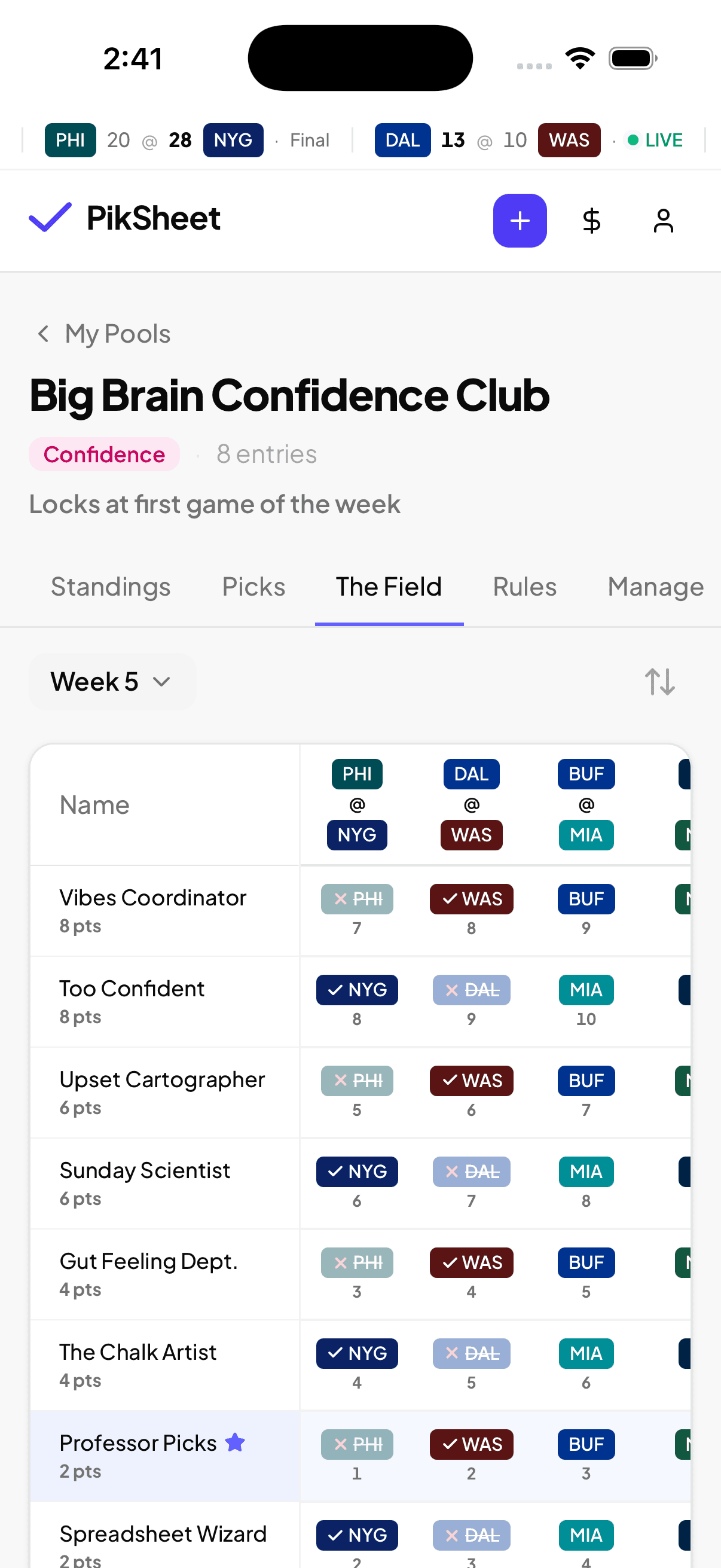
Show the field after lock
Once picks lock, everyone can see the room. The field view makes the best part of a pool easy: who went chalk, who got weird, and who needs the upset.
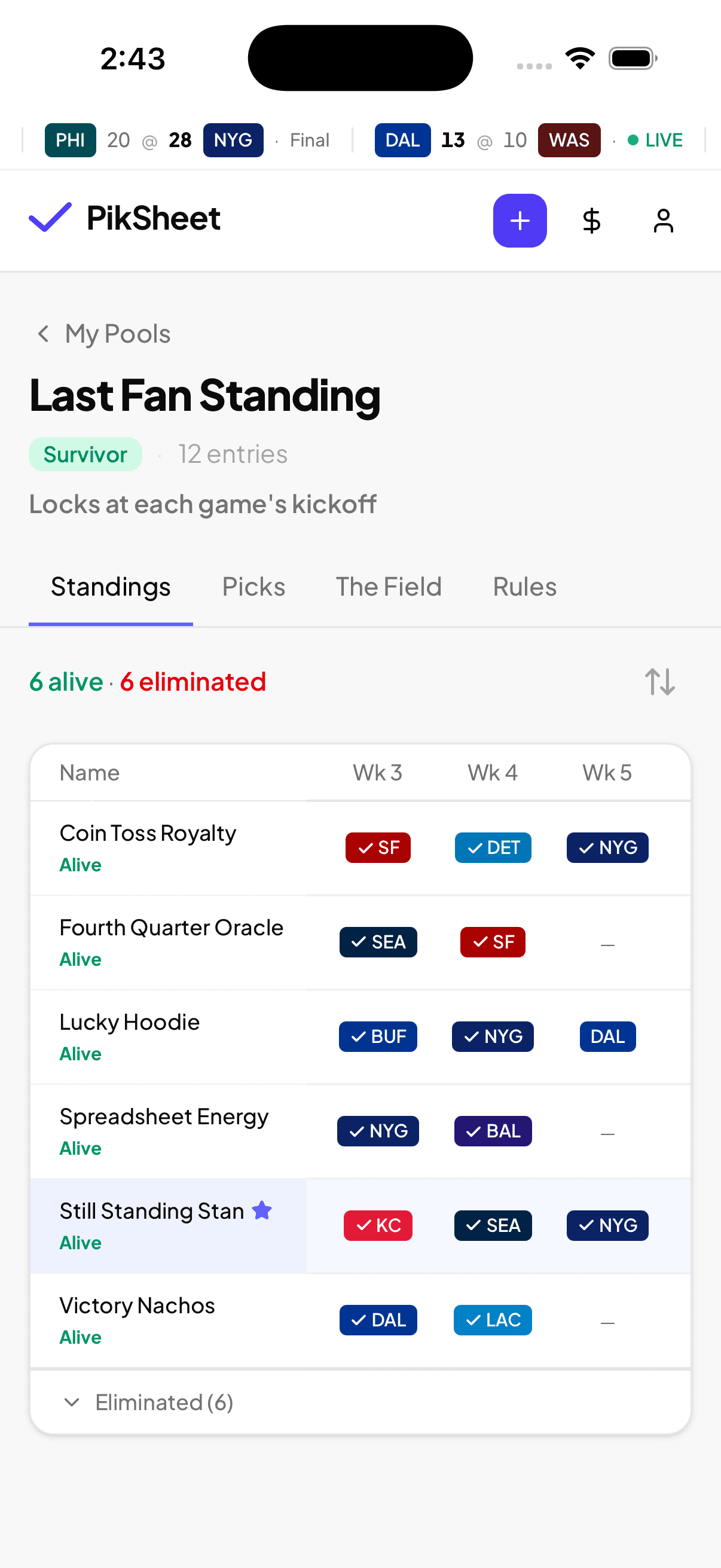
Keep standings current
Scores roll in, standings update, and each entry keeps its history. No rebuilding formulas after a tie, a late kickoff, or a commissioner correction.
Every pool format in one place.
Keep the familiar league traditions, lose the weekly admin work. Each format has its own rules, scoring, field view, and standings built in.
Pick every game. Most wins takes the pool.
The classic. Pick winners for every game of the week — straight up or against the spread.
Pick your 5 best shots each week. Every win counts.
Only your most confident picks. Choose 5 games each week — straight up or against the spread — and rack up wins.
Every game matters. Weight your picks and earn points.
Pick every game and rank your confidence 1 to N. Correct picks earn their weight.
One pick a week. Get it right by a lot.
Pick one game per week. Score the actual margin of victory — negative if you miss.
One team a week. Lose once, you're out.
Pick one team to win each week. No team twice. Last entry alive takes the pool.
Pick every game. Mark your locks. Bonus wins for locks that land.
Pick every game for a win each. Mark your best bets — when they land, they count extra.
Call four players to find the end zone. No player twice.
Call an RB, WR, TE, and a double-points Flex to score a touchdown each week. Once you call a player, they're used for the season.
Field a fantasy lineup every week. No player twice.
Start a full fantasy lineup each week — QB, 2 RB, 2 WR, TE, Flex, K, and D/ST. Once you start someone, they're gone for the season.
10×10 grid. Numbers at kickoff. Score-digit winners each quarter.
Claim squares before the game. Numbers randomize at kickoff. Winners by the last digit of each team's score at the end of every quarter.
Pick your games from the week's NHL slate.
NHL pick'em on a slate the commissioner chooses. Pick N games straight up each week — ranked for confidence points, or one point a pick.
Pick your games from the week's NBA slate.
NBA pick'em on a slate the commissioner chooses. Pick N games straight up each week — ranked for confidence points, or one point a pick.
Set an NBA lineup every week. No player twice.
Fill a 3- to 8-slot NBA lineup each week and score every game your players play. Once a player locks in, he's used for the season.
Pick every series of the MLB postseason. Later rounds count more.
Fill out the 12-team MLB postseason bracket before first pitch: every series winner, and optionally how many games each series goes.
Rank all 12 playoff teams. Every series they win pays their rank.
Rank the 12 MLB postseason teams from 12 down to 1 before first pitch. Each team earns you its rank value for every series it wins.
Hover to pause · tap a format to explore
One platform. Every pool.
Every pool format runs on the same backbone — same commissioner tooling, same player accounts, same mobile and web ecosystem, one operational workflow.
Every format, one app
NFL pick'em, survivor, confidence and squares, NBA and NHL slate pick'em, NBA one-and-done fantasy, and MLB playoff brackets all live in the same place.
Shared commissioner tooling
Setup, invites, lock rules, overrides, and scoring work the same across every format.
Shared accounts and billing
One player account across every pool. One billing surface for the commissioner.
Same web and mobile
Web at piksheet.com and now on the App Store and Google Play — picks, standings, and field view feel identical.
One operational workflow
You learn the app once. Every pool you run uses the same week-by-week rhythm.
Built for the person who runs it.
PikSheet keeps the commissioner in control without making them the support desk every Sunday.
Auto-scoring
Scores update as games finish. You never calculate a week again.
Auto-picks for no-shows
Members who miss the lock get picks assigned so standings stay balanced.
Commissioner overrides
Adjust a member's pick, lock early, or step in when something needs a manual call.
Push notifications
Pick reminders, pool results, and pool activity alerts.
Multi-entry support
Run pools where members play more than one entry — clean standings included.
Live standings + field view
See the room. Know who went chalk and who didn't.
Your first pool takes minutes.
Create a format, share the invite, and let the season run from one place.